For online courses and programs
How to set up ChatGPT Ads for an online course
Follow this step by step tutorial to set up a campaign that brings in conversions.
Your course sells for more than $700? Have us set up the campaign.
The 5 steps at a glance
The example throughout: a course for hairstylists with their own salon who want more bookings from Instagram.
- 1Check these before starting the campaignWho sees the ad, what you offer, and what the ad says.
- 2Make sure a sale can be countedCount the moment someone raises their hand, and the sale behind it.
- 3Reach the right personThe settings first, then the context hint.
- 4Make the adsOne face, one person, one result, and enough versions.
- 5Check that it is workingFirst, whether the ads run. Then, whether the right people come.
The tutorial as a checklist
All 5 steps on one list to tick off, by email.
1Step 1
Check these before starting the campaign
Who sees the ad, what you offer, and what the ad says.
1.1Is your ideal customer on ChatGPT Free or Go?
- Ads only show on ChatGPT Free and Go. People on Plus, Pro, Business, Enterprise or Edu see none. Nobody under 18 sees ads.
- Most people pay nothing: of more than 900 million weekly users, about 50 million pay for a plan.
- In the US, 66% of adults aged 18 to 29 use chatbots, 61% of those aged 30 to 49, 42% of those aged 50 to 64 and 23% of those 65 and older.
- Upper-income adults use chatbots more often (66%) than lower-income adults (41%).
- Ask your last buyers which ChatGPT plan they use. If most use Free or Go, they will see your ad.
- If most use Plus or Pro, for example because they use ChatGPT for work every day, start with a small test.
1.2Which offer: a free training or a call?
- Advertise a small first yes, not the course itself. The person in the chat does not know you yet.
- Do you sell the course on a sales page or at checkout? Offer a free training: a video, a live training or a mini course. The sign-up is the conversion.
- Do you sell the program on a call? Show a short video first, then the calendar. The booked call is the conversion.
- Of 18 course sellers' pages we looked at, 8 started with a free training, 6 with a video and then a call, and 4 sold directly.
- The free training solves one piece of the problem and ends with the offer for the course.
- The name of the offer says what the person gets: “Free training: how hairstylists get bookings from Instagram”.
- Education and digital products are allowed. Income promises, “guaranteed” results and health claims get ads rejected. The ad and the page are reviewed together.
- Free training
- Sign-up
registration_completed- Short video
- Call booked
appointment_scheduled1.3Match the ad and the offer to how aware the customer is
- People often tell ChatGPT exactly what they are stuck on. That shows how close they already are to your course.
- Knows the problem (“Why don't my posts bring bookings?”): the ad names the problem and offers the free training.
- Compares solutions (“Which course helps hairstylists with Instagram?”): the ad names the result and offers the free training or the video.
- Knows you (“Is …'s course worth it?”): the ad offers the call or the course page.
- At every stage, use three things: the job (“hairstylists with their own salon”), what they are stuck on (“posts without bookings”) and who the offer leaves out (“trainees”).
- The job goes in the title, the problem in the copy, and who the offer leaves out goes on the page.
- Make one ad group per type of customer, so every ad fits one chat.
- Knows the problem
In the chat: Why don't my Instagram posts bring bookings?
Offer: Free training - Compares solutions
In the chat: Which course helps hairstylists with Instagram?
Offer: Free training or video - Knows you
In the chat: Is [your name]'s course worth it?
Offer: Call or course page
2Step 2
Make sure a sale can be counted
Count the moment someone raises their hand, and the sale behind it.
2.1Set up conversion tracking for the hand-raise: a registration, an application or a booked call
- Pick the event for your hand-raise: free training sign-up = registration_completed, application = lead_created, booked call = appointment_scheduled.
- Ads Manager → Tools → Conversions → create a data source.
- Put the pixel code at the top of every page of your funnel.
- Fire the event on the thank-you page, after the form is sent. The page with the form is only a page view.
- Does the sign-up or booking happen in another tool, such as a calendar, webinar or email tool? Then the pixel on your page may not see it. Send the event from that tool's webhook to the Conversions API, or send people to a thank-you page on your own domain afterwards.
- Send the course sale as order_created, too. Checkout platforms run on their own domain, so only the Conversions API sees the sale there.
- To do that, pass the click reference oppref from the landing page into the checkout link and send it along.
- Free training sign-up
registration_completed - Application sent
lead_created - Call booked
appointment_scheduled - Course bought
order_createdfrom the server, through the Conversions API
2.2Make sure your conversions are set up the right way
- Send every event through the pixel and the Conversions API, with the same event name and the same event ID. Then ChatGPT counts it only once.
- For a typical advertiser, both together counted 69% more conversions, and each cost 22% less.
- The message from your server needs its own Conversions API key.
- Choose Conversions as the campaign objective, with the hand-raise as the event. It happens more often than a sale, so the campaign has more to learn from.
- Only standard events can steer the campaign. Custom events are only measured.
- Set billing to Impressions if your account offers it. Then ChatGPT also learns from people who only saw the ad. Of those who bought within a day after that, 52% bought within the first hour.
- Your account does not offer Conversions yet? Choose Clicks and set up the event anyway. One campaign that could only buy clicks still brought sign-ups, calls and a sale.
- Objective and billing cannot be changed later. To switch, clone the campaign.
- Sales count up to 30 days after the click.
2.3Make sure conversion tracking works as intended
- Sign up once yourself through the real page. Write down the time, the name you used and the event ID.
- Ads Manager → Conversions → Recent events shows roughly the last 15 minutes. Browser events show as pixel_sdk, server events as server_to_server.
- If you send both, your test sign-up shows up from both sources and counts once in reporting.
- Test the Conversions API with validate_only: the call is checked and not saved. The pixel's debug mode shows every step, but those events do count in reporting.
- Check the event quality score from 1 to 10. It updates daily from the last 7 complete days. Fix what it points out: missing details, late events or events sent twice.
- Never send made-up events to raise the score.
- Add UTM parameters to the landing page URL, such as utm_source=chatgpt. Then your email or webinar tool shows which sign-ups came from ChatGPT.
registration_completedpixel_sdkfrom the browserregistration_completedserver_to_serverfrom the server1 sign-up counted3Step 3
Reach the right person
The settings first, then the context hint.
3.1Set up context hints: what to choose, what to turn on, and what to leave as it is
- Choose: Conversions as the objective, your hand-raise as the event, and Impressions as billing.
- Choose: a daily budget. It is an average over 7 days, and a single day can spend up to twice as much. The minimum is $25 or €15 a day.
- In one test, a campaign-total budget spent all its money in a single day.
- Choose: the countries. Include each country by name. Excluding other countries does not limit delivery. New accounts often start in their home country only.
- Choose, per ad group: one group per type of customer, a maximum bid and the context hint.
- OpenAI recommends $3 to $5 per click to start. In one campaign, the bid started at $4, and the ads spent nothing for 2 to 3 days, until the bid went up.
- Turn on: the conversion event in the campaign.
- Turn on: access for OAI-AdsBot and OAI-SearchBot on your course page. Course platforms, firewalls and robots.txt sometimes block them, and then the ad does not run.
- Leave: platforms. With none selected, the ad runs on phones and desktop.
- Leave: custom audiences. Including one needs 25,000 matched users, and in the EEA and Switzerland they should not be used while personalization is off there.
- Leave: start and end dates on your first campaign. These fields only show up after publishing. Don't publish just to see them, or your ads start right away.
- ObjectiveConversionsChoose
- Conversion eventregistration_completedTurn on
- BillingImpressionsChoose
- BudgetDaily budgetChoose
- CountriesUnited States, included by nameChoose
- PlatformsNone selected, so allLeave
- Custom audiencesNoneLeave
- Maximum bid$3 to $5 per clickChoose
- Access for OAI-AdsBot and OAI-SearchBotAllowed on the course pageTurn on
3.2Write a context hint that names the job, what they are stuck on, and who it leaves out
- The context hint is a short note in each ad group. It tells ChatGPT which chats your ad fits. It is not a keyword and not a targeting rule.
- Start with: “My ideal customer is a [job] who [is stuck on …].”
- Add: “People search for things like: …” with the words your customers really type. Take them from messages, comments and the questions in your sales calls.
- Write the problem the way it is typed: “my posts get likes but no bookings” instead of “Instagram marketing”.
- A hint cannot exclude anyone. So describe exactly who fits (“with their own salon”). Who does not fit goes on the page.
- One idea per sentence, in plain words. OpenAI recommends: what, for whom, in which situation.
- Keep the hint short and without brackets. In one campaign, a single keyword in [brackets] stopped the ads, and so did a very long hint.
- One campaign wrote a hint only for coaches looking for Facebook or Instagram ads. 9 of the 10 people who filled in the survey were coaches.
JobMy ideal customer is a hairstylist with their own salonStuckwho posts on Instagram every day and rarely gets bookings from it.Their wordsPeople search for things like: Instagram for hairdressers, new clients for my salon, bookings from Instagram.
On the page: “For hairstylists with their own salon. Trainees get their own training later.”
4Step 4
Make the ads
One face, one person, one result, and enough versions.
4.1Create ads that convert
- The ad is the next step in the chat: it names the job and the problem and offers the free training or the call.
- Title: 16 to 24 characters recommended, 50 at most. Copy: 32 to 48 characters recommended, 100 at most.
- Image, title, copy and page promise the same thing. They are reviewed together.
- The first screen of the page repeats the promise of the ad and has one form or one button.
- Leave out income promises, “guaranteed” results and before-and-after health claims. They get course ads rejected.
I have my own salon. Why don't my Instagram posts bring bookings?

Stylists: more bookings
Free training: turn posts into bookings.
- One face
- One person: stylists
- One result: more bookings
- First yes: free training
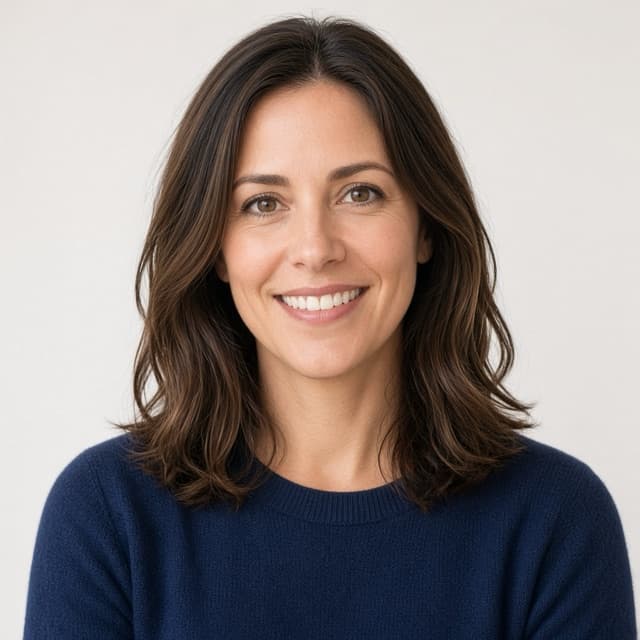
4.2Which images to choose: one face
- Use a photo of yourself, the person behind the course. In one experiment, people looked at faces 16.6 times more than at other spots of the same size.
- One person per image. Square, PNG or JPG, at most 1200 × 1200 pixels. The image is tiny, so keep it simple.
- Let your gaze point toward the offer. When the person in an ad looks at the product, readers look at the product longer.
- Take three photos: into the camera, toward the offer, and while teaching, for example while recording a lesson.
- The words go in the title and the copy. The image stays plain.
Stylists: more bookings
Free training: turn posts into bookings.
Looks at you: the eye stays on the face
Stylists: more bookings
Free training: turn posts into bookings.
Looks at the offer: the eye follows
4.3Which headlines to choose: one person and one result
- Name one person: the job from your hint, such as “stylists”.
- Name one result that person wants, in their words, such as “more bookings”.
- Pattern: “[Job]: [result]”, so “Stylists: more bookings”.
- Write two headlines per group: one with the result, one with the problem, such as “Posts, but no bookings?”.
- Use numbers only if you can prove them. No income figures.
- A
PersonStylists:Resultmore bookings
- B
ProblemPosts, but no bookings?
4.4How many ads to create
- 3 photos × 2 headlines = 6 ads per ad group. That way, a winner can show up.
- One group per type of customer. Two types, such as salon owners and employed stylists, make 12 ads.
- OpenAI recommends many distinct ads in each ad group.
- One campaign ran 4 groups with 6 ads each.
- Stylists: more bookings
- Stylists: more bookings
- Stylists: more bookings
- Posts, but no bookings?
- Posts, but no bookings?
- Posts, but no bookings?
4.5How much to spend on each ad
- There is no budget per ad. The budget sits on the campaign, the bid on the ad group. ChatGPT spends more on the ads that work.
- Start with a daily budget of at least $25 or €15 a day.
- Plan with the price per sign-up: one campaign paid $3.81 per click and $71 per sign-up, at $100 a day for 4 groups with 6 ads each.
- What a sign-up may cost depends on your course: how many sign-ups become buyers, and what a buyer brings in. Work out the limit before you start.
- Don't judge too early. One campaign spent nothing in the first 2 to 3 days.
- CampaignDaily budget
- Ad group salonMaximum bid $3 to $5
- 6 adsno budget of their own
5Step 5
Check that it is working
First, whether the ads run. Then, whether the right people come.
5.1See if your ads are actually running
- In the Ads tab, every ad should say “Serving”.
- If it says “Not serving”, hover over the status. The reason is there. Often the copy or the page breaks a policy, or the page blocks OpenAI.
- If nothing runs, check: account verified, payment method fine, campaign active, today between the start and end date, budget left. Business verification can take up to 7 business days.
- Give a new campaign 24 hours.
- Impressions, clicks and CTR refresh about every 15 minutes. Spend shows 7 to 8 hours later, so zero spend does not mean nothing ran.
- If the ad is serving but has no impressions after 2 to 3 days, raise the bid in small steps.
- Change one thing at a time, so you know what worked.
5.2Verify whether the people who registered or booked are the customer you named
- Ask one question on the sign-up form that shows whether someone fits: “Do you have your own salon?” or “What do you do for work?”.
- Compare the answers with your hint. Most should have the job you named.
- Look per ad group. Put the group in a UTM parameter, such as utm_content=salon.
- Count the steps yourself: signed up, fits, booked a call, bought. Ads Manager shows the click and the first sign-up. You count calls and sales yourself, up to day 30.
- One campaign: 398 clicks, 21 sign-ups, 10 answered 7 questions, 5 booked a call, 1 bought.
- If the wrong people come, make the job and the problem in the hint more exact. If too few come, widen the problem and keep the job.
For courses over $700
We set up your campaign and spend up to $800 of our own money on it
You only pay if the leads come in at or below the maximum cost per lead you set.
- One 15–20 minute call: we agree on your maximum cost per lead and what counts as a lead.
- We write the ads. You approve each one before it runs.
- For 21 days, every lead lands in your own sign-up list.
- If the leads cost more than your maximum, you pay nothing and keep the leads.
Founding offer: the first 5 course creators pay no test fee. 5 of 5 places left.
How the lead test works in detailSources
- OpenAI Help: Ads in ChatGPT, who sees ads
- OpenAI Help: Ads in ChatGPT, the basics
- OpenAI Help: Create campaigns
- OpenAI Help: Create ad groups
- OpenAI Help: Write context hints
- OpenAI Help: Create ads
- OpenAI Help: Conversion-optimized campaigns
- OpenAI Help: Frequently asked questions
- OpenAI Help: Troubleshooting common issues
- OpenAI Help: Onboarding and policy issues
- OpenAI: Ad policies
- OpenAI Developers: Supported events
- OpenAI Developers: Conversion tracking
- OpenAI Developers: Conversions API
- OpenAI Developers: Troubleshooting
- OpenAI webinar: five best practices for ChatGPT Ads
- TechCrunch (2026): 900 million weekly users, 50 million subscribers
- Pew Research Center (2026): chatbot use by age
- Pew Research Center (2026): Americans and AI, by income
- Two paid search specialists on their ChatGPT ads tests
- Coaching campaign, 15 days
- Cerf, Frady and Koch (2009): Faces and text attract gaze
- Hutton and Nolte (2011): Gaze cues in print ads